Hidden in Plain Frequency: How to Tap Into the Repeater Network Already Covering Your Area
Here's something a lot of new hams don't realize: the moment you get your Technician license, you've got access to a surprisingly robust communications network that already exists in your city, your county, and probably your neighborhood. We're talking about repeaters — and if you haven't figured out how to use them yet, you're leaving the best part of amateur radio on the table.
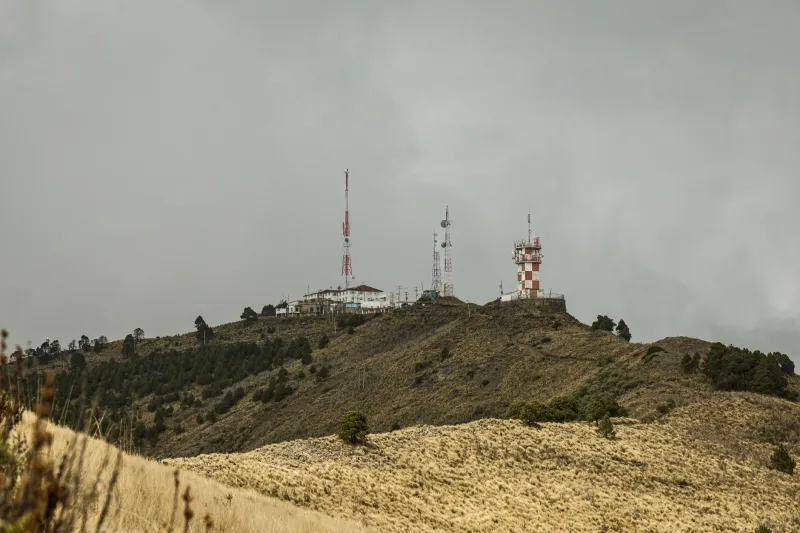
Repeaters aren't complicated in concept. They're essentially radio relay stations, usually mounted high up on a tower, building, or hilltop, that receive a signal on one frequency and simultaneously retransmit it on another. The result? A handheld radio that might only reach a few miles on its own can suddenly communicate across an entire metro area. That's not a small thing. That's a game-changer.
Let's talk about how to actually find them, access them, and use them without embarrassing yourself.
Start Here: The Online Databases That Map It All Out
The easiest way to find repeaters near you is to stop guessing and start searching. Two resources dominate this space in the US:
RepeaterBook (repeaterbook.com) is the go-to for most hams. It's free, regularly updated by the community, and lets you search by state, county, city, or even your current GPS coordinates. You can filter by band (2 meters, 70 centimeters, etc.), mode (FM, DMR, Fusion, etc.), and whether the repeater requires a tone to access. The mobile app is genuinely useful when you're traveling.
The ARRL Repeater Directory is the more traditional option — it's published annually in print form and also available digitally through the ARRL's website. It's thorough, but RepeaterBook tends to be more current since it's crowd-maintained.
When you pull up results for your area, don't be surprised if you find dozens of entries. Some of those machines are active daily hubs. Others might be quiet neighborhood repeaters that only see traffic during emergencies or local nets. The database listing alone won't tell you which is which — that requires a little detective work.
Decoding the Listings: What All Those Numbers Actually Mean
A repeater listing looks like alphabet soup at first glance. Here's a quick breakdown of what matters:
- Output frequency: This is the frequency your radio needs to listen on.
- Offset: Repeaters transmit and receive on different frequencies simultaneously. The offset tells you how far apart those two frequencies are. For 2-meter repeaters in the US, the standard offset is -600 kHz (your radio transmits 600 kHz below the output). For 70cm, it's typically -5 MHz. Most modern radios handle this automatically once you enter the output frequency.
- PL Tone / CTCSS: Many repeaters require you to transmit a specific sub-audible tone (called a PL tone or CTCSS tone) to open the squelch and access the machine. Without it, the repeater simply won't respond. The listing will tell you what tone to use — program it into your radio's tone settings before you key up.
- Status: Look for whether the repeater is listed as active. Some listings flag machines as closed (members-only), open (public access), or unknown.
Once you've got a few promising repeaters programmed into your radio, the next step is listening before transmitting.
The Art of Listening First
This is where a lot of newcomers stumble. They find a repeater, program it in, and immediately key up to announce themselves. Don't do that.
Spend time listening first — sometimes called "monitoring the frequency." Get a feel for when the repeater is active, who the regulars are, and what kind of conversations happen there. Some repeaters are busy commuter nets in the morning. Others are quiet most of the day and light up for a weekly club net on Thursday nights. Knowing the rhythm of a machine before you jump in makes your first transmission a lot smoother.
When you do key up for the first time, keep it simple. A short "[Your callsign], listening" is a perfectly acceptable way to make yourself known. If someone's already in a conversation, wait for a pause — that gap between transmissions is your window.
Repeater Etiquette: The Unwritten Rules That Matter
Amateur radio has a culture, and repeaters are where that culture is most visible. A few things to keep in mind:
Identify legally and often. FCC rules require you to transmit your callsign at the beginning and end of a contact, and at least every ten minutes during a longer conversation. This isn't optional.
Keep it brief when the repeater is busy. If there's active traffic, long transmissions hog the channel. Say what you need to say and leave room for others.
Don't kerchunk the repeater. Keying up without identifying — just to hear the repeater's tail or courtesy tone — is considered bad form. It wastes the machine's battery backup and annoys regulars.
Respect the repeater's purpose. Some machines are designated for emergency traffic only. Others are linked to regional or national networks during specific events. Read the room (or in this case, read the listing notes).
Nets: The Scheduled Conversations Worth Knowing About
Many repeaters host regular "nets" — organized on-air meetings that happen on a set schedule. These range from casual ragchew nets (basically open conversation) to formal traffic nets that relay messages across the country, to ARES/RACES nets focused on emergency preparedness.
Participating in a net is one of the fastest ways to get comfortable on a repeater. The net control station runs the show, calls for check-ins, and keeps things moving. You just wait your turn, give your callsign when called, and say your piece. It's low-pressure and genuinely useful for building on-air confidence.
Check RepeaterBook or your local amateur radio club's website for net schedules tied to specific repeaters in your area.
The Emergency Preparedness Angle
Repeaters aren't just for casual conversation — they're critical infrastructure during disasters. When cell towers go down after a hurricane, earthquake, or ice storm, local repeaters often stay operational on backup power, providing communication for emergency coordinators, relief organizations, and ordinary people who need help.
Knowing your local repeater network before an emergency means you're not scrambling to figure it out when it counts. Program the primary emergency coordination frequencies for your county into your radio now. Find out which repeaters in your area are linked to your county's ARES group. Ask at your local club meeting — someone will know.
Having that knowledge pre-loaded into both your radio and your brain is exactly the kind of preparedness that makes a real difference.
The Bottom Line
Repeaters are one of amateur radio's best-kept open secrets. The infrastructure is already there, built and maintained by volunteers who want people to use it. You don't need expensive equipment — a quality dual-band handheld and a Technician license are enough to get started. What you need is the knowledge to find the right machines, program them correctly, and show up on frequency ready to participate.
That network is already humming. Time to tune in.


