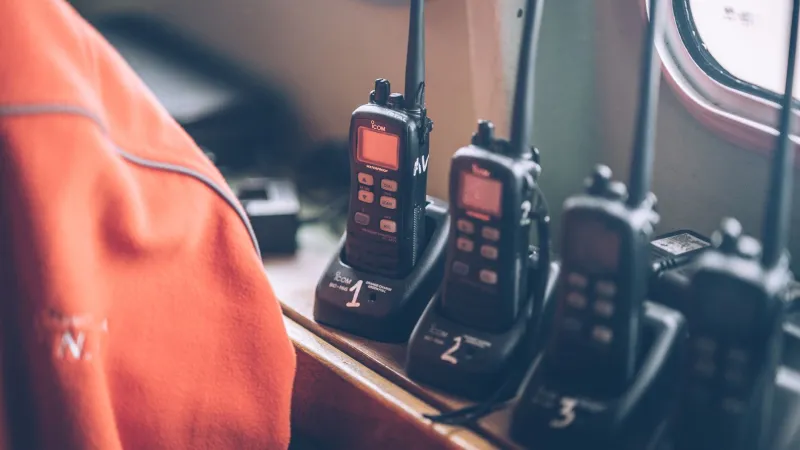
Mid-Transmission Silence: What Your Radio's Timeout Timer Is Trying to Tell You

It started as a routine check-in. A friend of mine—we'll call him Dale, a licensed ham out of central Ohio—was running net control during a local ARES exercise when his handheld just... stopped transmitting. Mid-sentence. No warning tone he recognized, no obvious malfunction. Just dead air where his voice should've been.
The culprit wasn't a dead battery. It wasn't a broken PTT button. It was something baked right into his radio's firmware, something he'd never thought to configure: the transmit timeout timer. And if that had been a real emergency instead of a drill, the consequences could have been a lot worse than embarrassment.
So What Exactly Is the Transmit Timeout Timer?
The transmit timeout timer—usually called TOT in menu systems and documentation—is a feature built into the vast majority of modern radios, from entry-level handhelds to mid-range mobiles. Its job is simple: if you hold the PTT button down for longer than a preset duration, the radio cuts off your transmission automatically.
The timer resets once you release PTT and lets the radio cool down for a moment. Then you're free to key up again.
Sounds annoying, right? But there's a genuinely good reason it exists.
Why Manufacturers Build This In
The TOT feature serves a few real purposes, and once you understand them, it's hard to argue the feature shouldn't exist.
First, it protects the radio itself. Continuous transmitting generates heat, especially in handheld units with small finals and limited thermal mass. Letting a radio transmit indefinitely could damage the PA stage, shorten component lifespan, or in extreme cases cause a thermal shutdown. The TOT is essentially a mechanical mercy rule.
Second, it protects repeater infrastructure. Most repeaters also run their own timeout timers, and they exist for the same reason—to prevent a single stuck PTT from tying up a shared resource for hours. If your radio's TOT is set shorter than the repeater's, you'll get cut off gracefully on your end before the repeater boots you with a harsh timeout tone.
Third—and this one matters more than people admit—it prevents the dreaded "stuck mic" scenario. A radio left in a bag, a PTT button wedged against a console, a broken switch that never releases: these are real failure modes. Without TOT, that radio could block a frequency for hours.
What Are the Typical Timeout Durations?
This varies more than you'd expect, and that variance is part of what catches operators off guard.
On popular handhelds like the Baofeng UV-5R series, the factory default TOT is often set to 60 seconds, though it can be configured anywhere from 15 seconds to 600 seconds (or disabled entirely via CHIRP). Yaesu's FT-60R defaults to 3 minutes. The BaoFeng BF-F8HP ships with a similar 60-second window. Kenwood's TH-D74A gives you a range of 0–10 minutes in one-minute increments.
Mid-range mobiles like the Icom IC-2300H or the Yaesu FTM-400XDR have TOT settings tucked into their menu systems, often under "TX" or "Timer" submenus. Some operators set these and forget them. Others don't realize the feature is enabled until it bites them.
The critical thing to know: factory defaults aren't necessarily appropriate for your use case. A 60-second TOT is fine for casual ragchewing, but if you're relaying a detailed situation report during an emergency net, 60 seconds might not get you there.
When TOT Becomes a Real Problem
Consider the scenarios where TOT can genuinely hurt you:
Emergency nets and ARES activations. During an actual emergency, operators may need to relay long messages—resource requests, shelter locations, medical updates. If your TOT cuts you off at 90 seconds and your message takes two minutes, you're going to fragment critical information in ways that create confusion at the other end.
Relay operations. If you're acting as a relay node passing traffic between two stations that can't hear each other directly, a mid-transmission timeout doesn't just affect you—it breaks the chain for everyone.
Vehicle installs with console-mounted PTT. This is where the stuck-mic scenario gets real. A floor-mounted PTT pedal or a dash-mounted button can get bumped, and if your TOT is disabled or set too long, you might not notice you're transmitting until significant damage to your radio—or someone else's patience—is done.
How to Find, Check, and Configure Your TOT
Step one is just knowing where the setting lives on your specific radio. Pull up your owner's manual (most are available as PDFs on manufacturer websites) and search for "TOT," "timeout," or "transmit timer." You'll usually find it in the radio's main menu under a section related to TX settings.
For CHIRP users programming handhelds, the TOT field shows up directly in the settings tab. It's one of the easier adjustments to make.
Here's a practical framework for setting it:
- Casual use and repeater work: 3–5 minutes is usually fine and matches most repeater timeout windows.
- Emergency preparedness and ARES/RACES operations: Consider 5–10 minutes, or coordinate with your net manager on what the group standard should be.
- Vehicle installs with physical PTT buttons: Keep TOT enabled and set it conservatively—60 to 90 seconds—as a safety net against accidental keying.
- Base station with push-to-talk mic: 5 minutes is a reasonable middle ground. Disabling it entirely is an option but not one to take lightly.
The Habit That Saves You
Beyond just configuring the timer correctly, there's a discipline component here. Before any exercise, deployment, or even a casual net, take 30 seconds to verify your TOT setting. It should be part of your pre-operation checklist the same way checking battery charge and confirming your frequency is.
Some experienced operators also do a quick self-test: key up, count silently, and note exactly when the radio cuts off. That gives you a real-world feel for your window—not just what the menu says, but what it actually feels like in practice.
Dale from Ohio made that exact change after his drill. He set his TOT to five minutes, added a TOT check to his go-kit prep list, and hasn't been surprised since. Small adjustment, significant peace of mind.
Your radio's timeout timer isn't working against you. It's just doing its job. The question is whether you've told it the right job to do.